Week 12: Production + Environment Development
At the beginning of this week, we had our shoot days at the XR stage, and both days went really well. I feel super grateful to the team for being so organized, hard-working, and professional, and making it a really great experience, and also to SCAD for having such incredible resources.
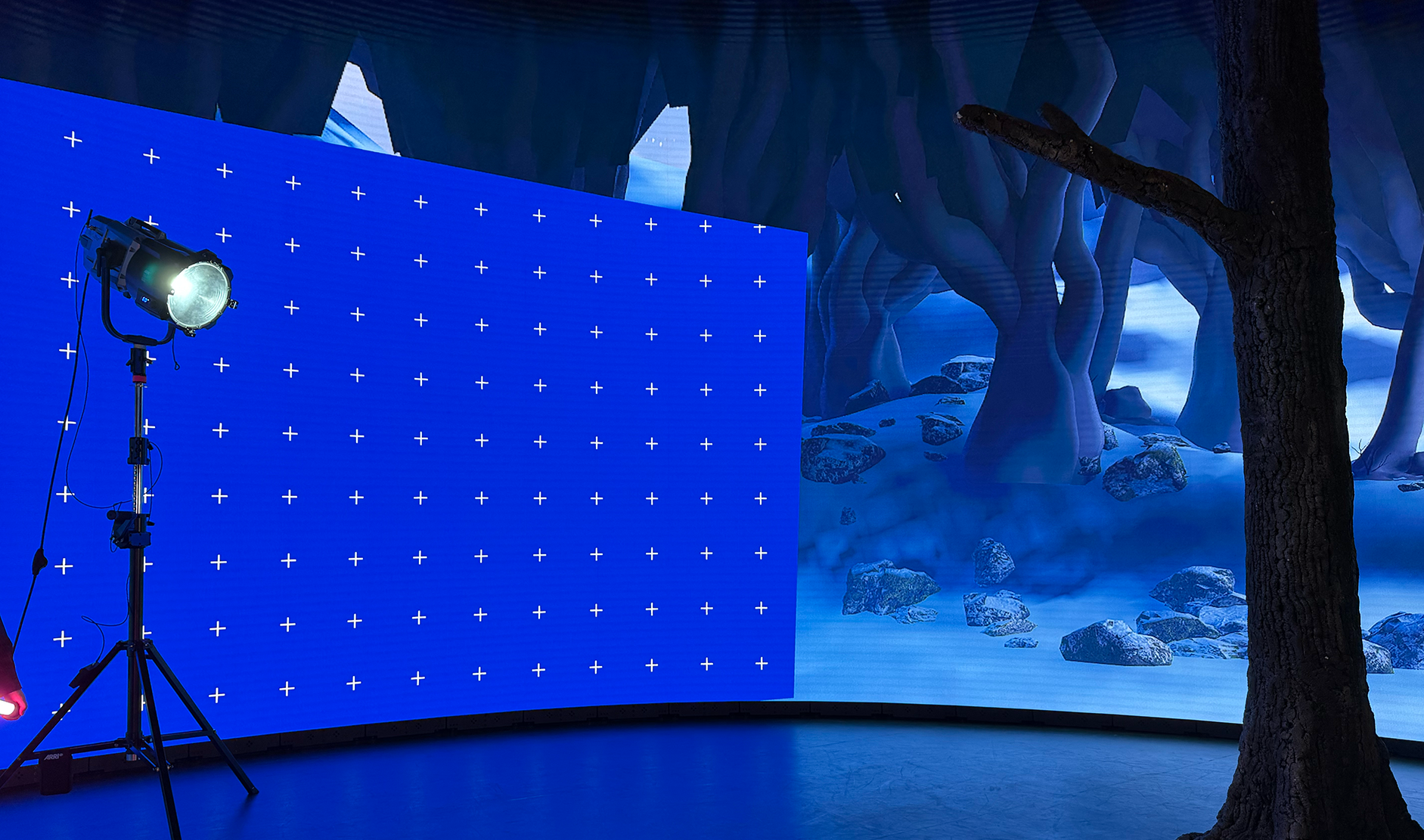
We decided to use the XR stage as a blue screen for lighting and compositing purposes, since SCAD only had green screen studios. We had the camera frustum displaying the blue screen and on the outside off-camera would be a very simplified version of my old Unreal environment for lighting purposes.
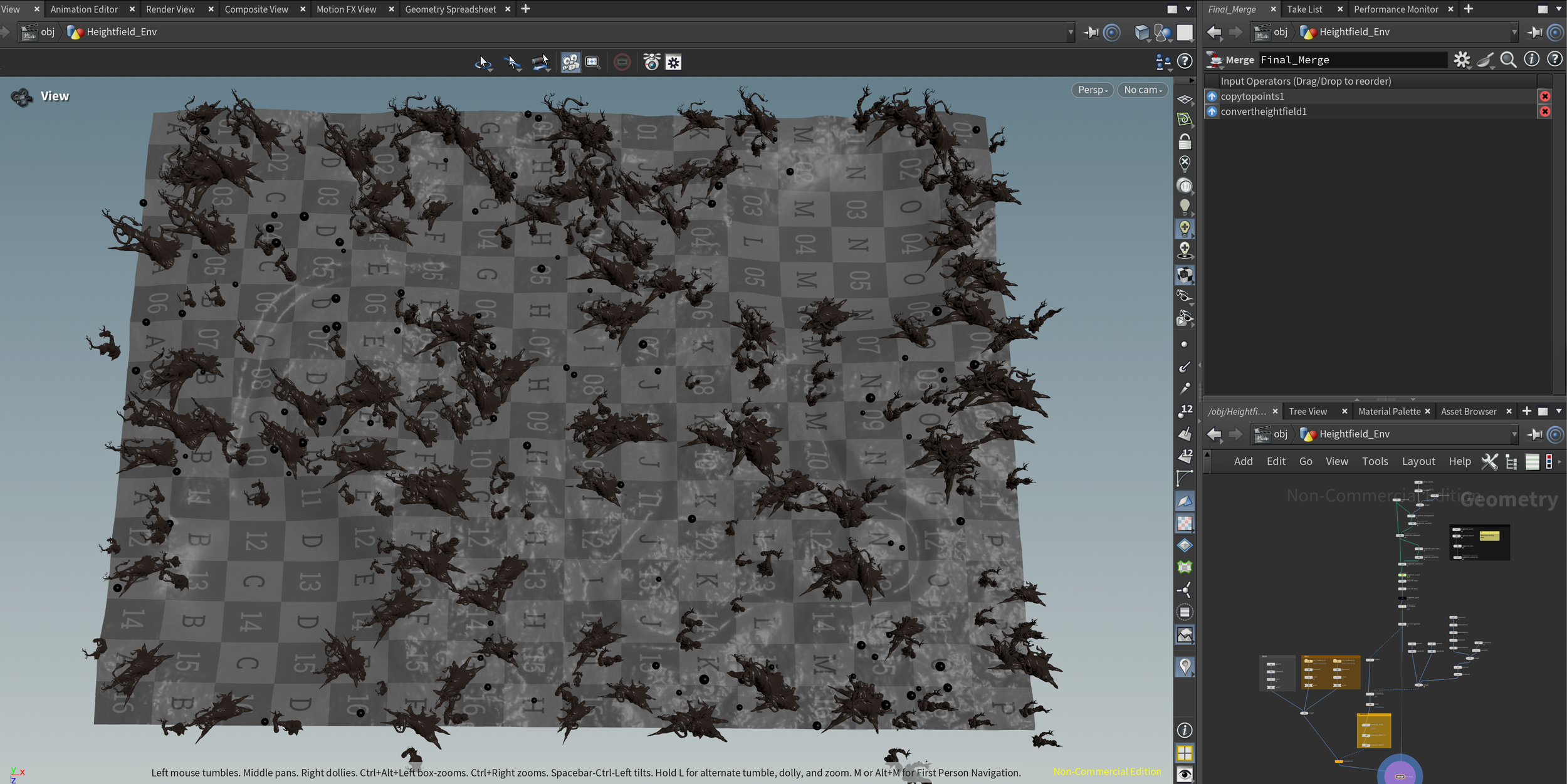
Current Overview of Environment Progress
I created a procedural asset that is copying two different tree models and also rocks onto a field of points, next week I will work on creating percentage controls for the different objects copied. I will also start incorporating all the different tree models and different rock models.
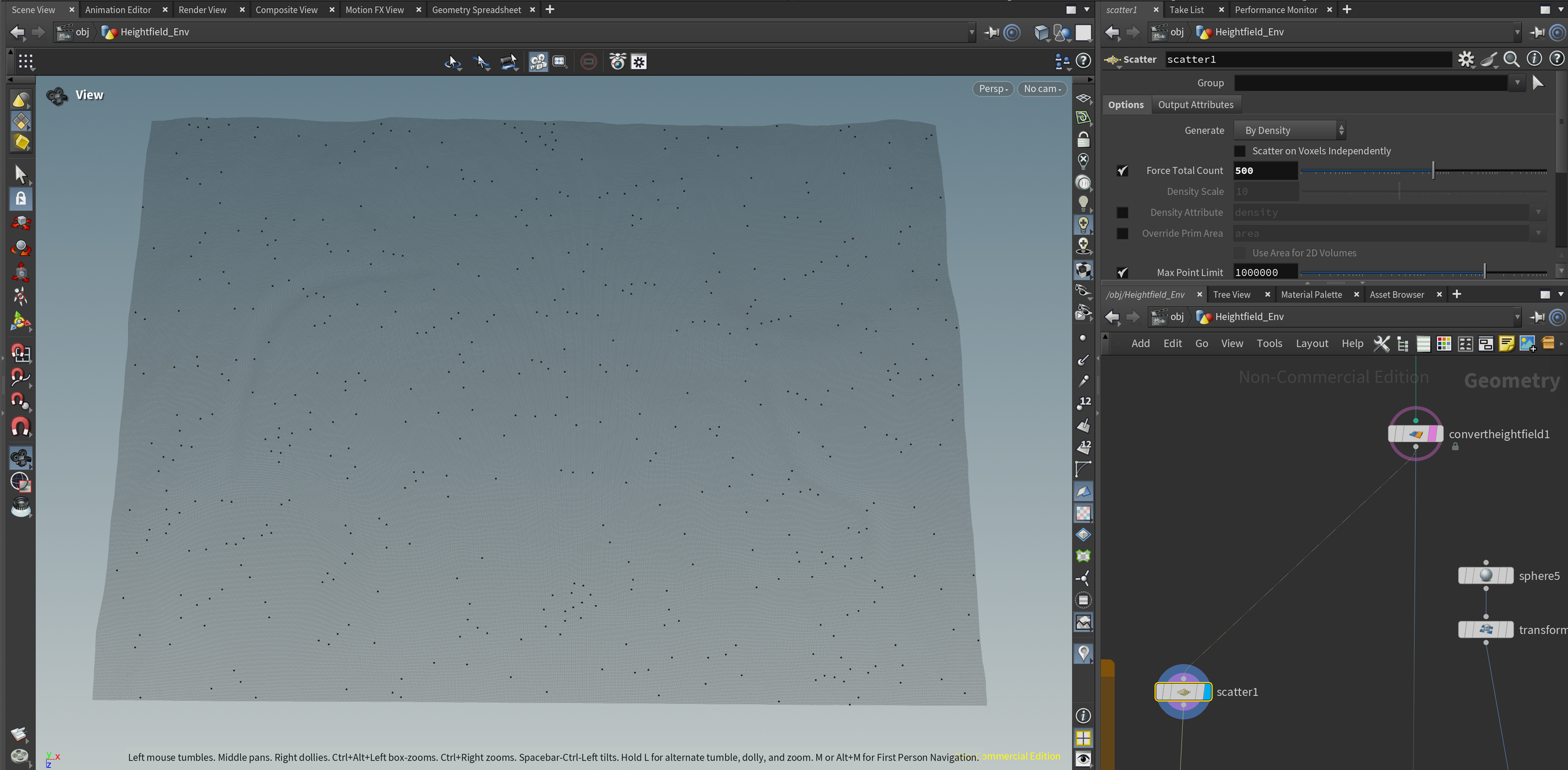
Points scattered on to height field using a scatter node, set to 500 total points.
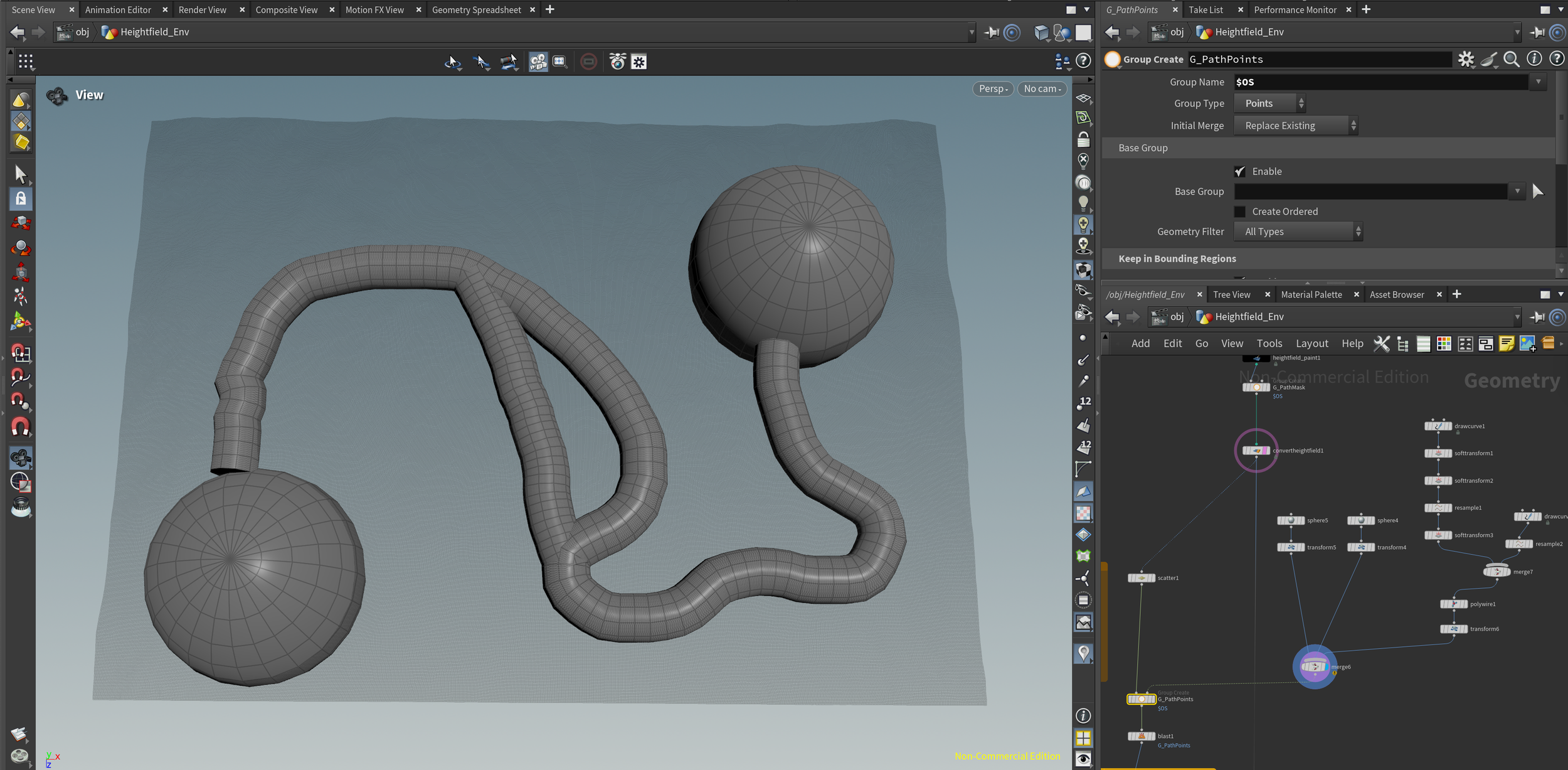
Geometry matching scene locations + path
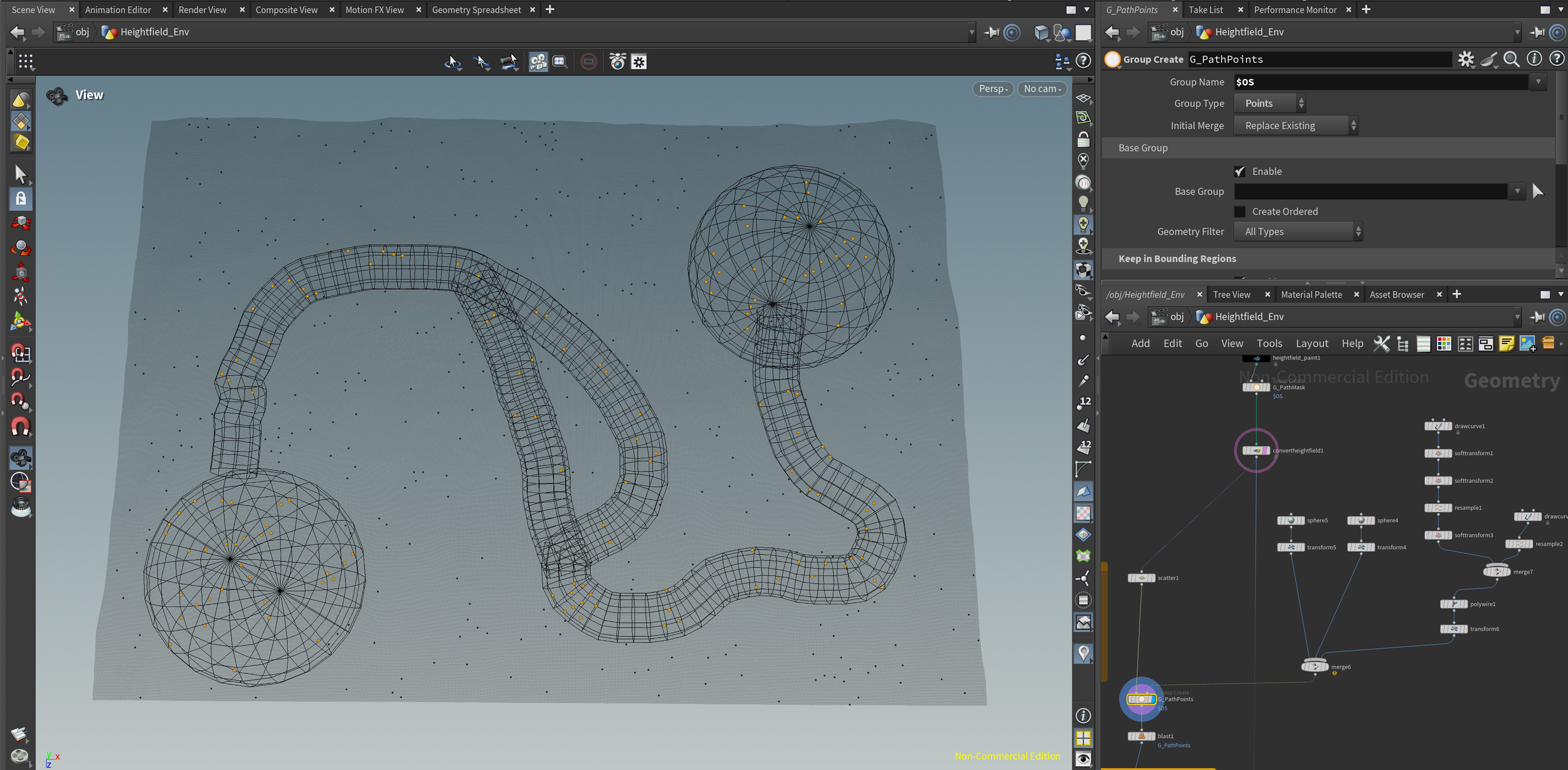
I use that geometry to select points spawned in those places and delete them, that way trees and rocks won’t spawn there.
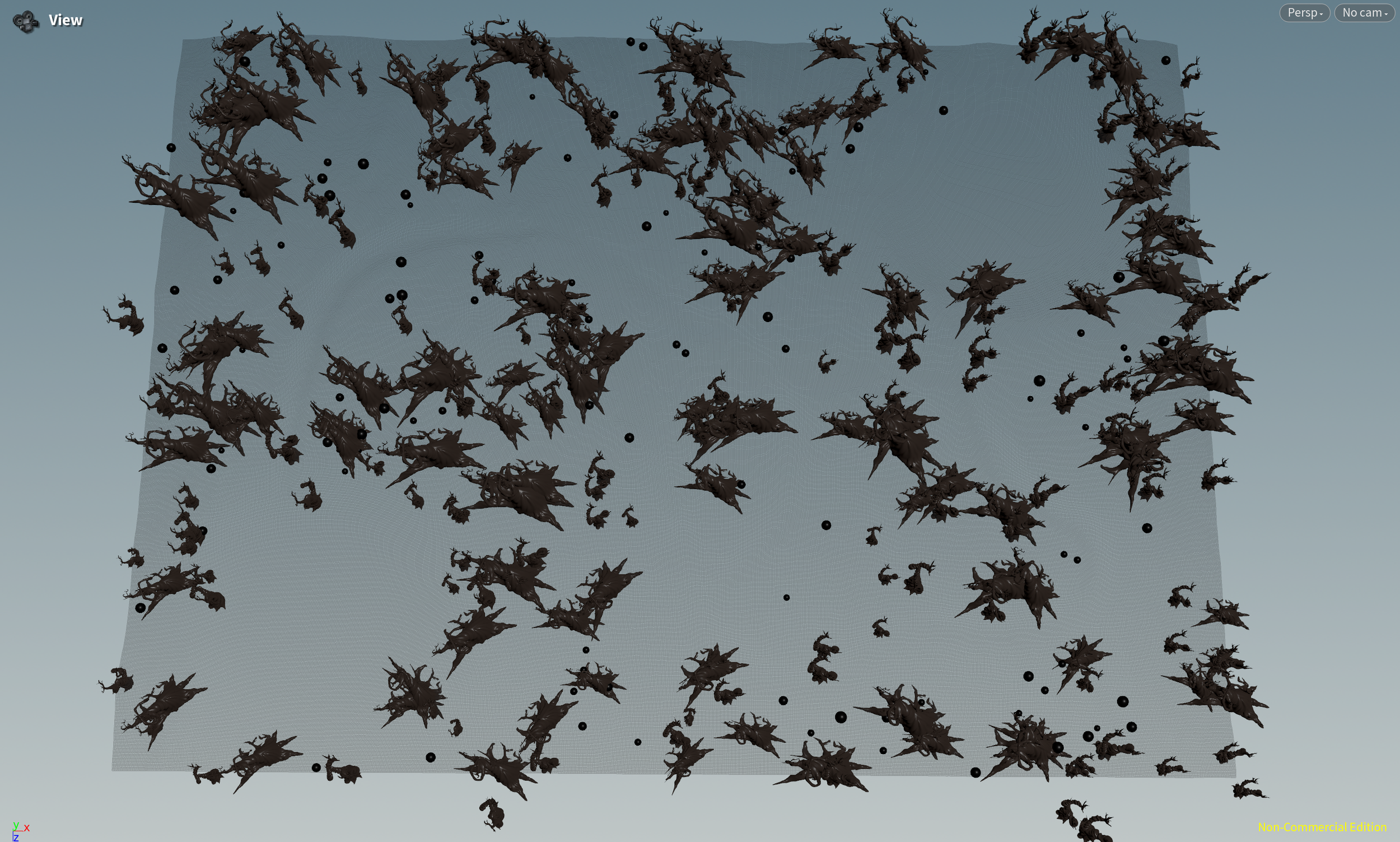
Geometry copied to Points (Spheres represent rocks)
Scale is randomized using a attribute randomize set to pscale
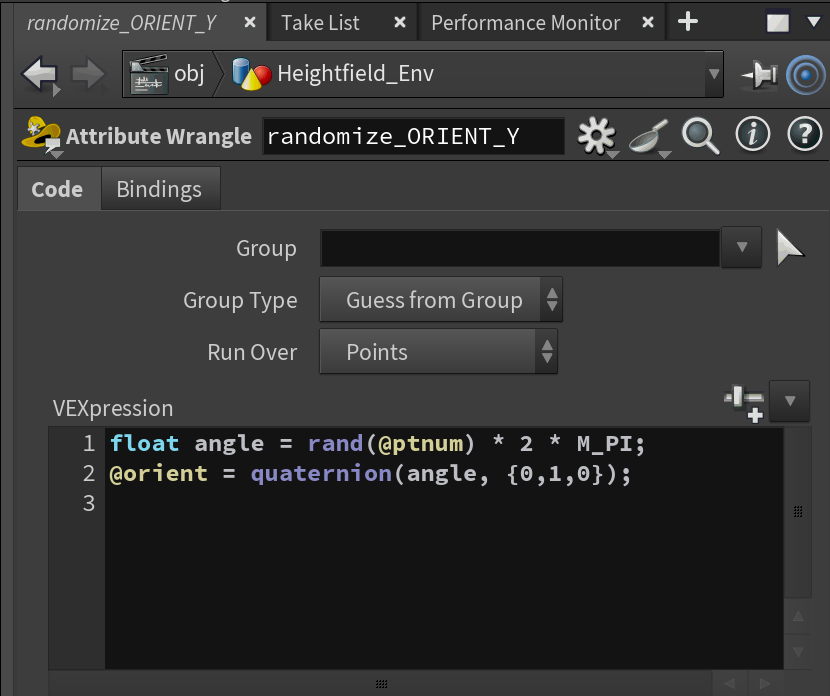
Attribute Wrangle Node: VEX randomizes the rotation of each object
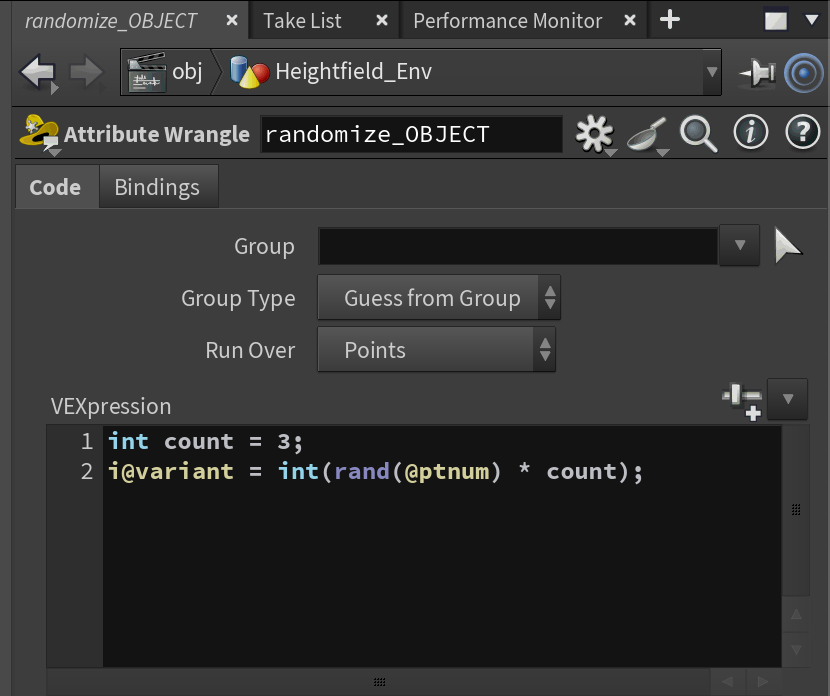
Attribute Wrangle Node: VEX making sure a different piece of geometry is copied onto each point
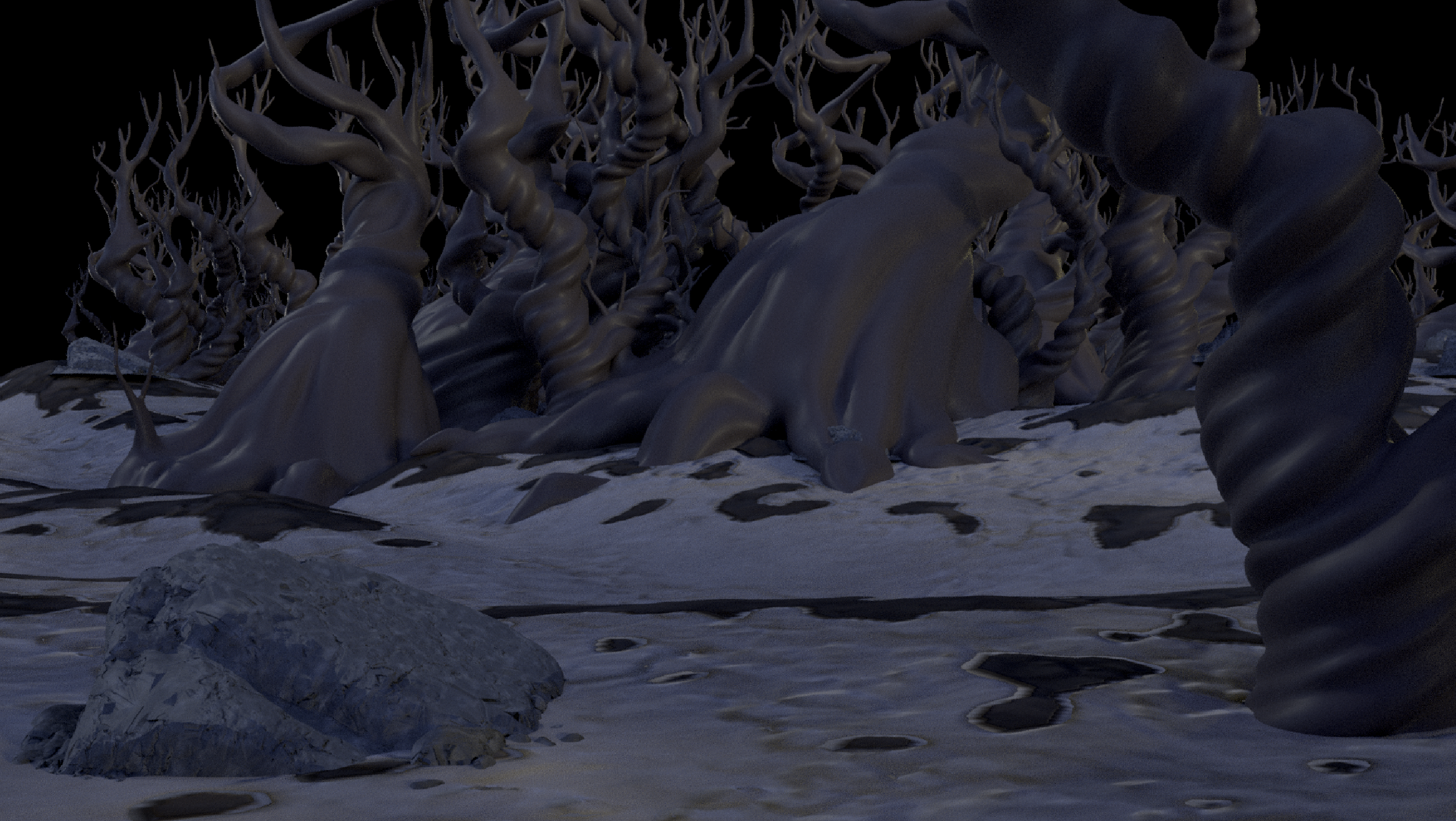
This week, I also created a basic rendering setup for the environment to show for our first checkpoint in class. I quickly created a simple slope rocky snow texture for the height field in Substance Painter. The trees and rocks only have basic color shaders. The camera setup is for Shot 2A, and the lighting is from an HDRI taken at the shoot by my teammate Sydney Relkin.